Here is my video for Linoit. Enjoy!
Sunday, October 17, 2010

PE3_Flash
After about another hour of tutorials, I have learned about using bitmaps, the lasso tool, magic wand, and text. I have created a new version of the autumn image adding those tools. There are a few things I need to go back and fix, but I think overall I'm getting the hang of this. Sometimes I do get frustrated though.


Saturday, October 16, 2010
PE2_Flash
After watching over an hour more of tutorials and working with Flash using masking, gradients, the 3-d transform tool, and some others I have created the following image. I think I was most excited with the 3-d tool! I was having some frustrations using the gradient transform tool, but I think I get it now. It was a matter of working with it, getting frustrated, letting it simmer in my brain, and then going back to it later and having an Aha! moment. I look forward to getting to the actual animation part, but I'm hoping learning these tools will transfer over to Illustrator, the next program I want to learn how to use this year.


Friday, October 15, 2010
PE1_Flash
I took a course five years ago, called Computer Aided Design as one of my elective Studio classes, mainly because it was being offered online, and I lived almost 2 hours away from my college. In it we used Dreamweaver and had to create a basic animation in Flash. I have long forgotten how to use both, because I didn't use them, as my studio area was textiles, therefore I have decided to embark on learning to use Flash. I have watched about 40 minutes of tutorials so far and here are some of samples from trying out the tools covered so far. I am so excited about learning this, since I was meaning to anyways!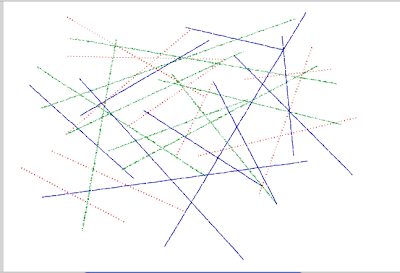

The Line tool

The Oval tool

The Rectangle tool

The Polystar tool

The Deco tool
Thursday, October 14, 2010


BP9_Linoit

Linoit is a program where you can leave sticky notes for multiple users to respond, or as a private reminder board for yourself, accessible at any computer. I can see using Linoit to prompt Art discussions, such as the one I began, in order to have students think about Art outside of school. Students could create accounts or they could post as guests. This would be a good informal assessment after a lesson was done to see what students retained or as an opening activity to see what information students already know before you begin a lesson. This could also be a way to gain anonymous feedback from students about your class. You can post images, documents, or videos to get responses as well. Linoit could also be a conduit for students to post videos, documents, or images to get responses, and collaborate in groups or as a class.
Linoit could also be used to brainstorm and to use the sticky notes to create mind maps. Linoit could help a teacher to keep track of meetings and duties during the week, because deadlines and alarms can be set on the stickies. Linoit could also be used as a "parking lot" for parents to post concerns or questions, of a non-private matter, or to request conferences. Linoit could also be used as "parking lot" for students to post questions about homework, or other assignments, outside of class. The interface is very simple to use and there are basic tutorials, set up for your first "canvas". The availability of this program away from your home computer, makes it a worthwhile sticky program to consider using.
Subscribe to:
Posts (Atom)